


UtechSmart 11-in-1 USB-C hub (UCN-3270) review

Introduction
I was not aware of the UtechSmart brand until just a few months ago when a representative contacted me to try one of their USB-C hubs. Having a quick look at their Amazon profile, they seem to have a decent reputation, so I agreed to review the 11-in-1 triple display hub.
Full disclosure: While this is not a sponsored post, the product showcased was provided at no cost for evaluation purposes. Products received in this capacity are destined for teardowns, future device interoperability testing, and/or charitable donations.
Product Specs
PD 3.0 charging 87 watts
2x HDMI, 1x VGA for 1x 4K30 or 2x 1080p (third display is mirrored)
2x USB 3.0 (5Gb/s 4.5W)
2x USB 2.0 (2.5W)
SD card reader (full size and microSD)
1Gb/s Ethernet

Unboxing & Physical Characteristics
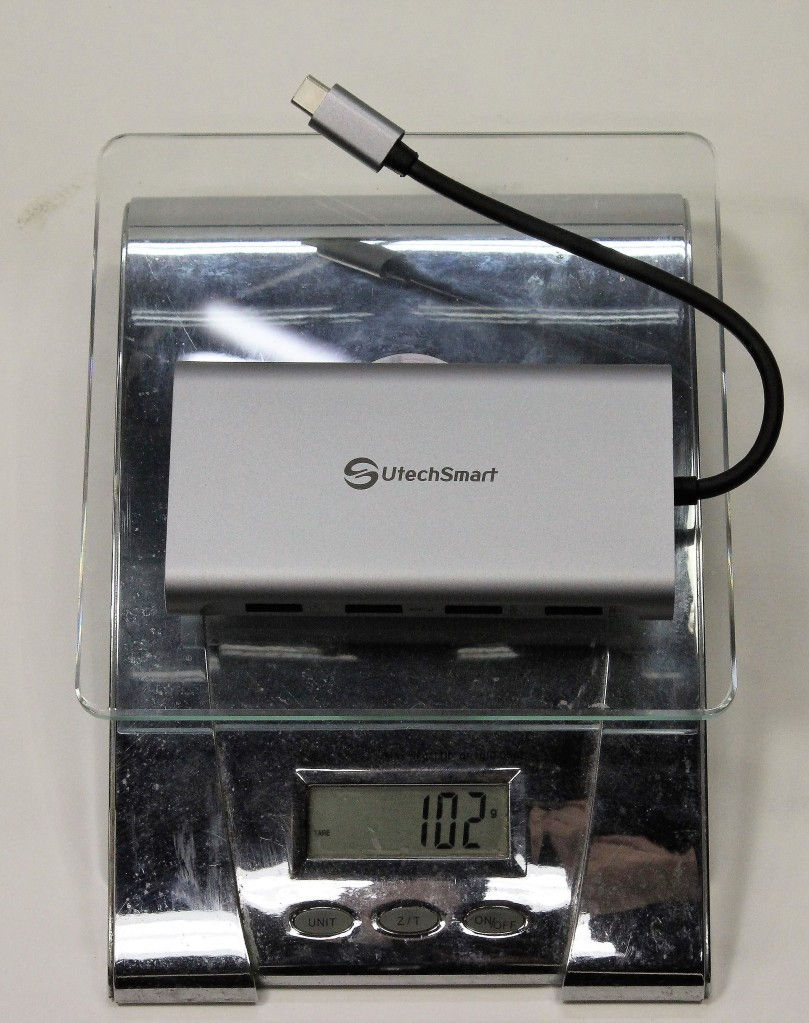
The UTechSmart hub comes packaged in a shrink-wrapped brown carboard box. Included is a grey drawstring carrying pouch, user manual and warranty card. The pouch doesn’t seem to be particularly useful unless you’re super keen to keep the chassis free from scratches but it does provide enough room to keep the hub with cable secure. The hub construction is a familiar single-piece extruded aluminum with a brushed grey finish and black plastic end-caps. (Anodized aluminum finishes in black, pink, and blue are also available.) This is a popular design among USB-C hubs – the only distinguishing feature on the UtechSmart is that each port is labelled – a nice touch that many other brands don’t bother with. At 16.5mm, this isn’t the thinnest hub I’ve used, but given the inclusion of Ethernet, you can’t get much thinner anyway. The whole chassis is jam-packed full of ports and there seems to be no wasted space.
The cable is a bit short at 18cm including the USB-C plug. Depending on your workstation setup, the hub could get in the way of using a mouse immediately next to your laptop keyboard. Some competing hubs have 30cm cables or detachable cables which I find much easier to use. However, the cable on the UtechSmart seems quite durable with ample strain-relief and thick rubberized insulation.
The port placement isn’t ideal – I would have preferred having the 2 USB 2.0 ports on the same side as the HDMI ports and have the SDCard reader alongside the USB 3.x ports. That way you can keep keyboard, mouse, and monitors plugged in at the rear yet have the SD card and USB 3.x ports readily available at the front when you need them. Having all 4 USB ports on the same side probably simplifies manufacturing and reduces costs though.




Feature Testing

General usage notes
All ports worked as advertised. The UtechSmart user manual hints that using wired keyboard/mouse is more reliable, which is true in general. I was worried that this language was implying that wireless wouldn’t work on this hub. Bu I had no issues using a LogicTech wireless keyboard/mouse (2.4GHz) with all other ports engaged. In particular, I had 1Gb/s Ethernet running a speedtest (Ookla) as well as file copies running on USB 3.0 (5Gb/s) and did not notice any keyboard dropouts or mouse disruptions. Some budget hubs fail this test with periodic dropouts which can be quite frustrating.
The USB-C receptacle on the hub is PD power input only – it is not connected to data – this was disclosed in the documentation but is still a little disappointing.
The SDCard reader is not enabled and enumerated on the bus until you plug in a card. Once you plug in a card, the host PC recognizes the SDCard chipset and then the SDCard itself. Upon ejecting the card, the SDCard chipset remains active on the bus until you disconnect the hub. At first I thought this was a little annoying since I don’t like devices just appearing and disappearing, but its probably a power savings scheme which is OK.
Power and Charging
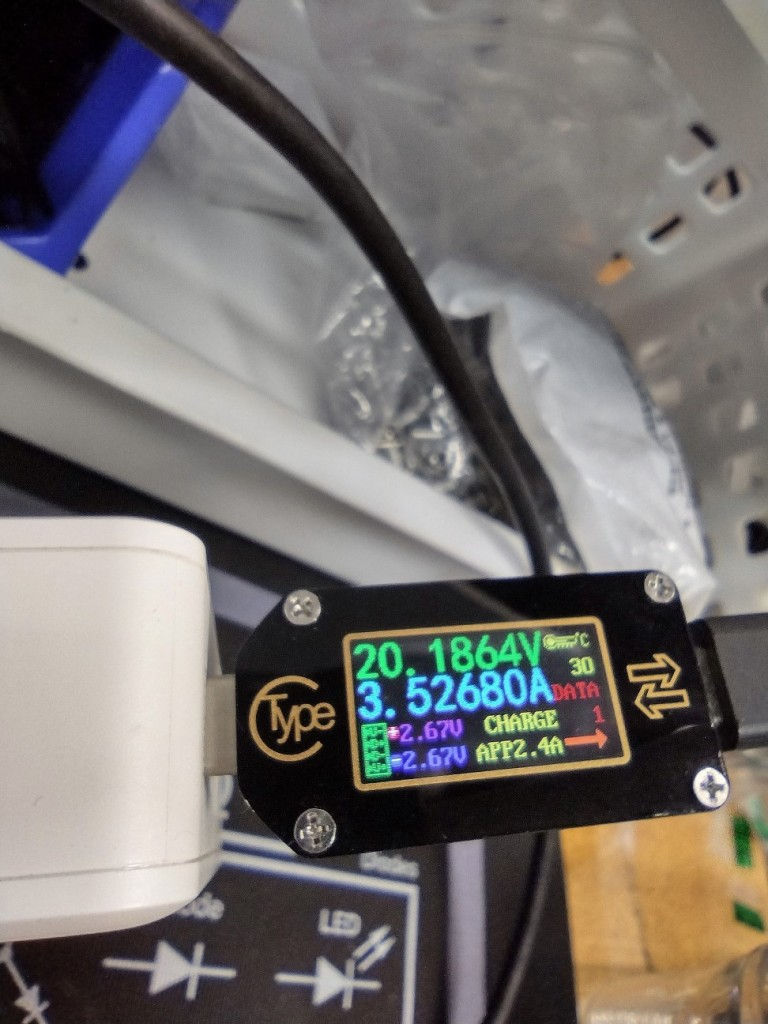
My USB-C power testers didn’t seem to get along with this hub as I couldn’t get repeatable results. Either I was able to measure power entering the hub or exiting the hub, but not both at the same time. I suspect one of my meters needs to be replaced or they just don’t like cold weather (9°C in my workshop). What I was able to verify is that this hub can accept PD 3.0 100W and deliver more than 60W to the laptop when using e-marked USB-C cables. The specs claim laptop charging up to 87W, but I was not able to verify that and only managed to get 70W on my laptop which is capable of drawing 90W. In one instance I was able to pull 96W from the USB-C power supply into the hub, so I have no doubts about UtechSmart’s power claims here. I just need to get some better power meters.
The USB ports are nothing special with USB 3.x ports delivering ~900mA (4.5W) and USB 2 delivering ~500mA (2.5W). When charging a phone the actual power delivery might be a little more than 4.5W but not much more. There is a note in the manual that the hub might have issues if you plug too many high power devices in like USB hard drives – and that you just need to unplug and plug in again to reset the hub in that instance. With a 13W power budget (100W – 87W), its impossible to power all 4 USB ports at their listed ratings since that would already be 14W. Conservatively, you connect one USB hard drive or one smart phone. If you like living on the edge, charging a smart phone while also running a USB hard drive might work if nothing else is connected, but don’t push your luck. Other portable hubs in this class work the same way so this limitation is not surprising



Data
Data throughput testing is the least interesting for me as all these portable hubs based on Via Labs chipsets work about the same. Suffice it to say that USB 3.0 5Gb/s, SD cards, and Gigabit Ethernet all worked as advertised. If there is interest I’ll do some more in-depth speed tests but I wouldn’t choose one hub over another based on speeds. If you want the most robust throughput, the best choice is usually a desktop-class Dock of some sort and a dedicated pro grade SD card reader.
Speaking of card readers, this hub has both SDcard and microSD card slots. The manual says to only use one at a time but doesn’t specify why. When I tried to use both at the same time, the full size SDCard became corrupted and I had to re-format it. My understanding is that dual-lun SDCard reader chips should work OK with both slots populated so this seems like a firmware or power issue. I think it would be simpler to eliminate the microSD slot and ship a micro->fullsize adapter instead. In any case, UtechSmart should be more specific and warn about potential data loss if you plug two cards in.
Video
2x 1080p through the HDMI ports worked great. I was also able to get a single 4K30 signal to work but I doubt many folks are interested in 30Hz. The VGA port is mostly useless since according to the user manual, it is limited to mirrored mode if you want to do triple display. If you want to do HDMI+VGA, then you can do 2x 1080p. In theory, the underlying Synaptics VMM3332 MST chipset can be configured to do 3 distinct monitor outputs but at a very limited 720p resolution.

Stress-testing
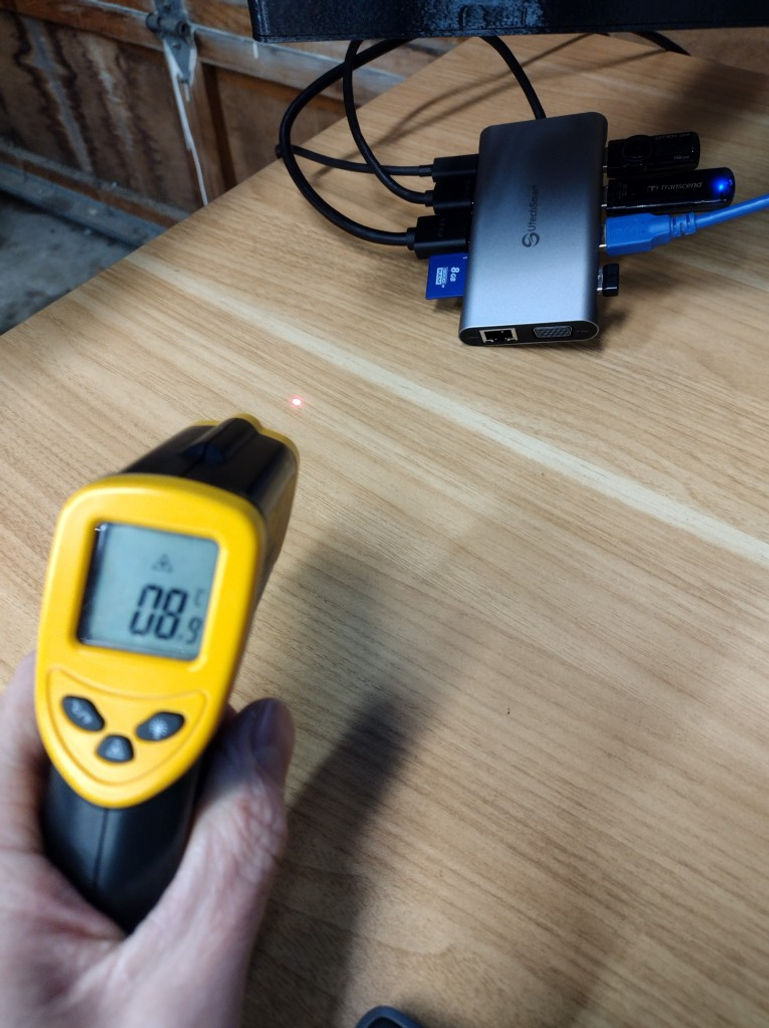
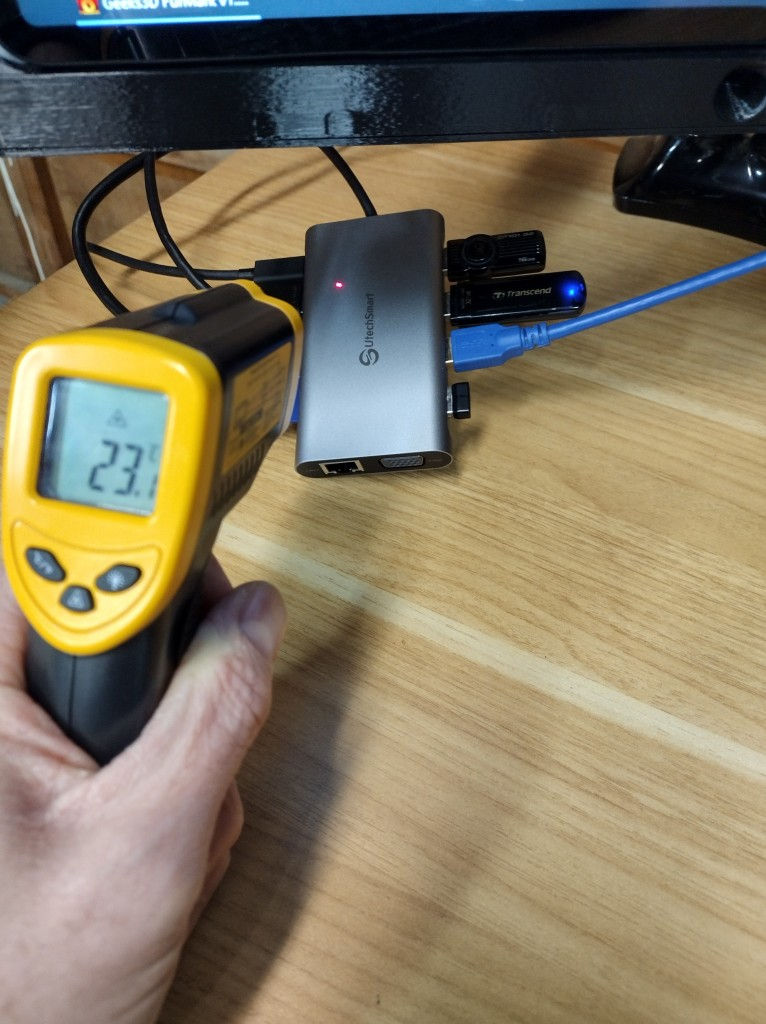
I ran Furmark stress testing to exercise the CPU/GPU for 2 hours with a halfway charged laptop battery to ensure the maximum current was driven through the hub. Also connected was an SD card, 2 USB thumbdrives, USB wi-fi (blue cable) and a wireless keyboard/mouse. So basically maxing out the hub. After 2 hours, the hub measured ~14-15°C above ambient temperature. Not bad! The chassis had a uniform temperature throughout so heatsinking is done well. This was in my unheated workshop, mind you, so ambient temps were 9-10°C. In room temperature environments, the chassis becomes ~20° above ambient or about 40°C which is warm to the touch, but not hot.

Teardown & Analysis
Construction is a plastic inner chassis with an interlocking single-piece extruded aluminum shell. Unfortunately, teardowns of this type of device are destructive where either the aluminum needs to be cut, or the plastic needs to be melted to release the internal clips. So I opted to use software sleuthing methods to determine the internal components.
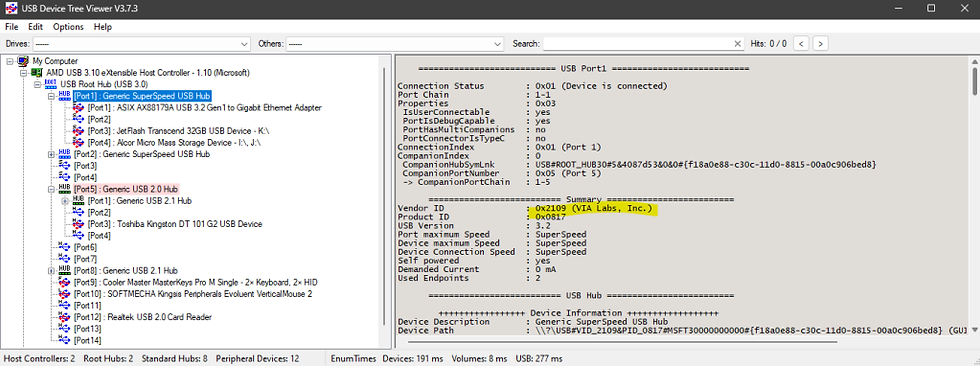
Using USBTreeView I was able to determine that all the USB 3.x devices are run from a Via Labs VL817 chipset while the two USB 2.0 ports run from a Terminus FE1.1S chipset. I’m not sure if this is a common design, but it appears that the USB 2.0 D+/D- pins from the USB-C port route to the Terminus chip rather than to the VL817 chip. The Terminus chip then cascades USB 2.0 along to the VL817 chip. In parallel, the USB super speed pins are fed directly to the VL817. I guess this is an easy way to make sure you get 4 USB 3.x devices instead of sacrificing a port to hang another hub chip off the end. I connected the hub to a USB 2.0 port with a verboten USB A -> C adapter and confirmed that all devices and ports worked with the same topology but just at the lower USB 2.0 speed.


Synaptics is the most common MST chipset vendor so I loaded up the VMMDPTool and here are the results:
EDID information Product ID: XMD009A Serial No: 00000000CHIP ID:
VMM3332
CHIP version: A2Manufacture date: 46th week of the year
2014
Firmware name: K_2L_MST_V150 Firmware version: 3.13.109Configuration file version: 017Bootloader version: 001Bootstrap setting: 0x00 JTAG loading: Disabled Address size: 3bytes Load speed: 27Mbps MCU speed: 270MHzFirmware image load result: 0x0f, error code: 00 Firmware code loading OK Configuration block0 loading OK Configuration block1 loading OK HDCP 1.4 key check OK Running in firmwareMicrosoft Windows 10 (build 22621), 64-bitIntel CPU 8 processor 64bit OSSystem name: SLSIntel GPUGpu name: Intel(R) Iris(R) Xe GraphicsVideo processor name: Intel(R) Iris(R) Xe Graphics FamilyDrive version: 30.0.101.1340GOP version: 17.0.1061
Topology
USB-C controller (VL10X?)
Via labs VL817 4-port USB 3.1 hub
ASIX AX88179A 1Gb/s Ethernet
RJ-45
2x USB 3.1 5Gb/s
Alcor Micro AU6xxx USB 3.0 dual lun SD card controller
SD card ports
2x USB 2.0
VL817 USB 2.0 link
unconnected device or disabled firmware interface?
Synaptics VMM3332 3x 1080p MST controller
DP -> HDMI chipset (Lontium or ITE?)
HDMI 1.4
HDMI 1.4
VGA

Conclusion
This hub worked as advertised. It doesn’t have any advanced features since it is an older design based on an MST chip from 2014 and a USB hub chip from 2017. Still, even with the aging design, it gets the job done and I have no complaints. A few things that I would like to see improved is the removal of the microSD card reader (just ship an adapter instead), a detachable or longer cable, Moving the SD card reader to the opposite side of the HDMI cable, and replacing the VGA port with DisplayPort. And of course adding Gen2 (10Gb/s) and 4K60 monitor support. Luckily, UtechSmart already has some newer hubs and docks featuring Thunderbolt 4 and 4k60 video – hopefully I’ll get to try some of these soon. At the $80 price point, I’m not sure I’d get the 11-in-1 this hub as there are others in this price class that have more compelling features. But with the current 20% discount, $64 is not bad for what you get. If you only need the basics of dual 1080p monitors and a handful of ports without all the bells and whistles, it works pretty well.

Comments